Published on Mon Jul 22 2024 09:20:00 GMT+0000 (Coordinated Universal Time) by Valerio Como
Angular Standalone Components
Shifting from a module-oriented organization to a component-oriented one

Want an AI-generated TL;DR? Open this page in Google Chrome to try the built-in AI summarization feature.
Are you a coding nerd? Check out this blog post;
Standalone Components is a one of the most interesting innovations in the Angular ecosystem in recent years. In my humble opinion, one of the most exciting alongside Angular Signals (checkout my post about Signals!).
This feature aims to simplify the organization of an Angular project. Furthermore, it helps to flatten the learning curve, lowering the entry barrier for new developers.
Why NgModule?
But, why does Angular need its own module system? An Angular module, NgModule, is a software artifact where developers could group together all the things like components, pipes, import libraries and so on. This is a good way to structure your code but there is also a practical reason behind it. A NgModule represents a compilation context. So, before Ivy compiler, Angular needed this organization. The adoption of the Ivy compiler have brought a straightforward innovation: every component has its own compilation context.
Standalone Components Design
This is a simple example of a Standalone Component:
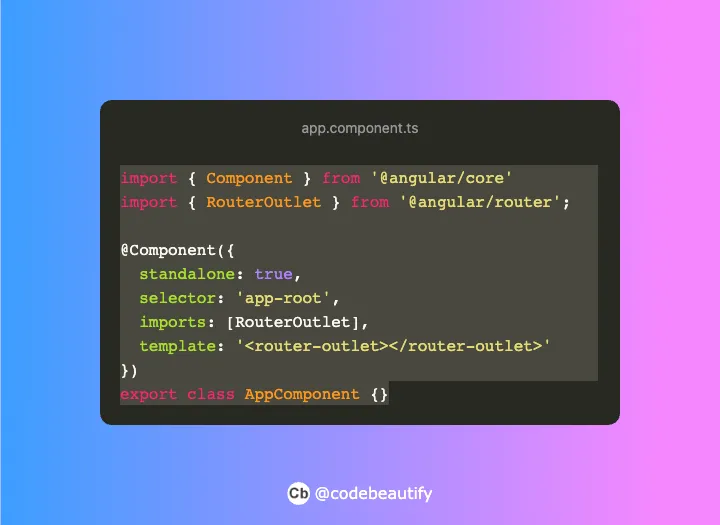
A simple example
Its design is similar to Lars Nielsen‘s SCAM (Single Component Angular Module) pattern. In SCAM pattern you have to declare a module as a wrapper for the component. With Standalone Components developers could declare everything inside Component decorator. Standalone Components aren’t declared like ol’ fashion components and they could be imported like modules.
Bootstrapping
The bootstrapping of an Angular application starts from a module (usually AppModule).
The adoption of Standalone Components brings a new way to bootstrap an Angular application. This example is taken from a real project I am working on.
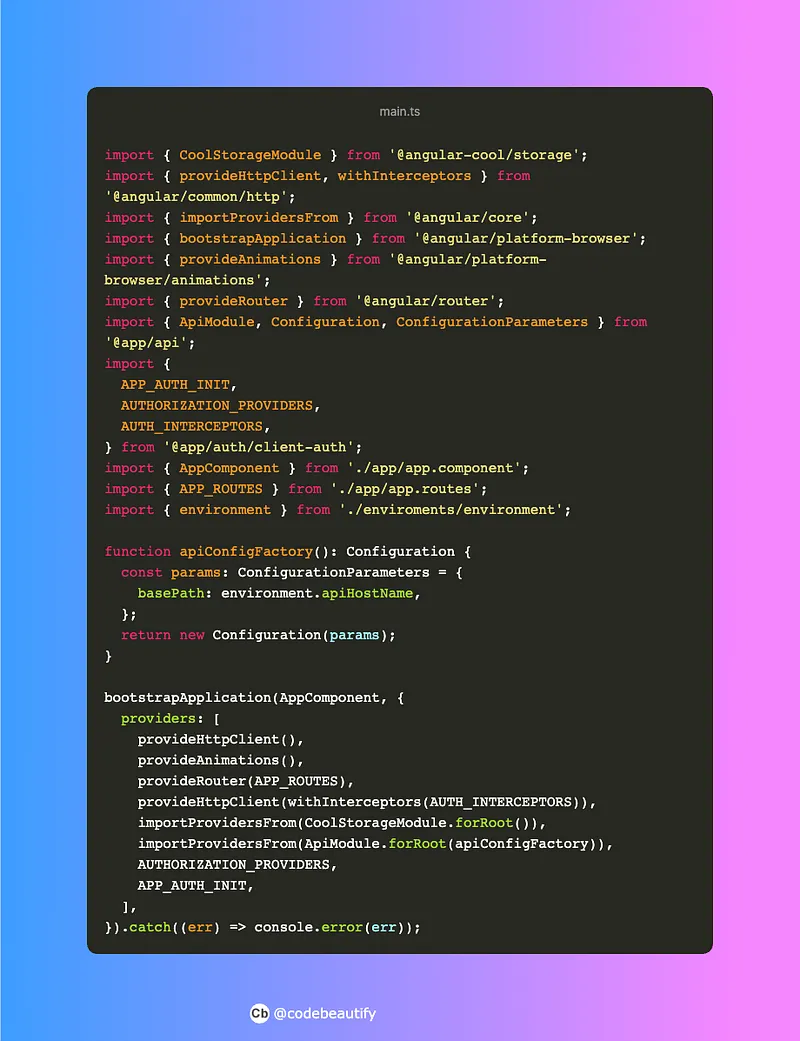
A main.ts taken form a real world project
The first great difference is the adoption of bootstrapApplication function. This function has two different parameters:
- A Component
- An object declaring application-wide providers
Here, developers can declare the providers that you would have declared in AppModule.
importProvidersFrom is an helper function provided by Angular. It supplies a simple way to give compatibility with NgModule. It accepts as argument an NgModule or ModuleWithProviders, returned from a forRoot() method.
Another class of helper functions are the ones with the prefix provide. They have been shipped with Standalone Components and they could provide application-wide providers or configuration. For instance, provideRouter() provides all the router configurations, even routes.
Other Changes
Standalone Components brings a fresh air to Angular. Some tiny changes have been introduced.
Router
Standalone Components could be loaded lazily by using loadComponent.
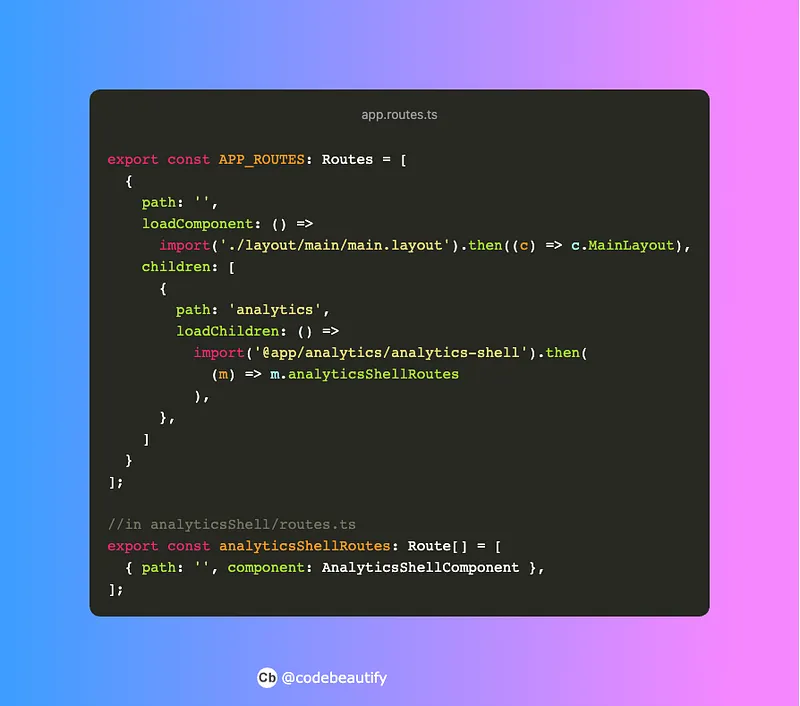
A loadComponent example
In this example, you can figure out a new way of using loadChildren. Angular Router could load many routes at once, avoiding the use of RouterModule.forChild method.
The Router has acquired the ability to declare providers.
Directive & Pipes
Directives and Pipes gained a standalone flag in their decorator. They could be used like components. If you wanna use them, you’d have to import them. You don’t need to declare them anymore.
Common Module
CommonModule ships a lot of useful directives. Since Standalone Components adoption, developers could import just what they need. You could import just a specific directive, such as *ngIf, *ngFor, instead of the entire CommonModule.
Conclusion
Those are the major updates shipped by Angular with Standalone Components. There are few other new features but they are out of the scope of this introduction.
I’ve already used Standalone Components in a real-world project. I have my own opinion about it but I would like to know yours! What’s your idea about Standalone Components? Feel free to leave a feedback in the comment section!
Written by Valerio Como
← Back to blog